The navigation icons below are based on Fleet User Access Level, other users may not have access to all of these icons. See User Access Level for more information.
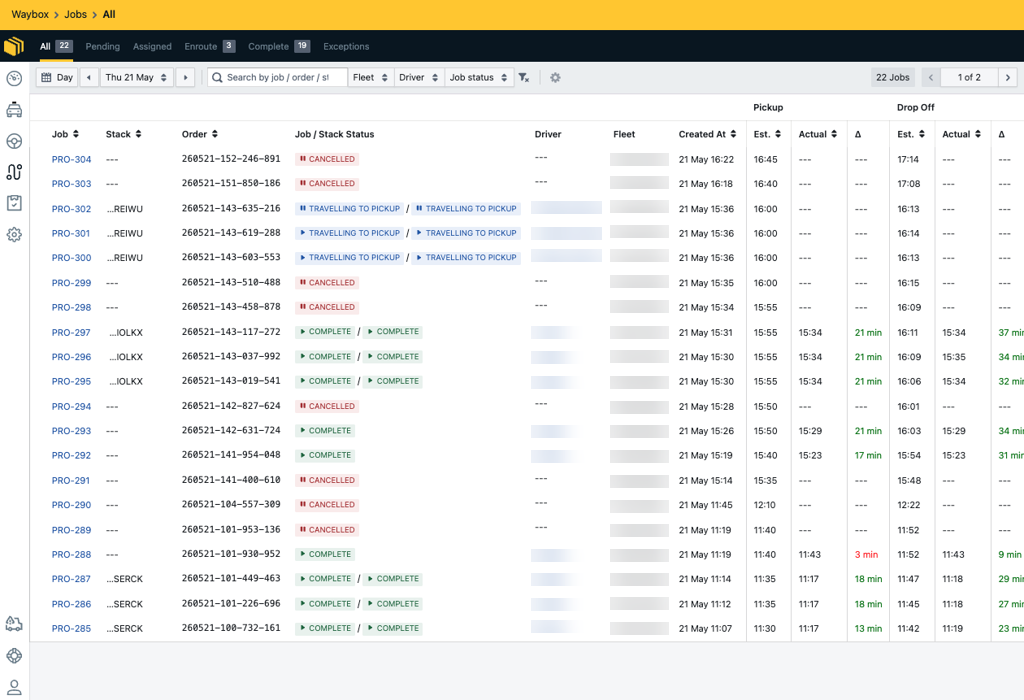
All your jobs can be viewed and managed on the Waybox Management Portal. Drivers can view their assigned jobs on the driver app; however, fleet users can view all the jobs on the Portal.
Jobs are automatically assigned to a driver, unless there is no drivers available, then these jobs will move into the exception queue (when auto-cancel jobs' are disabled). When jobs are moved to the exceptions queue, the fleet will need to manual assign a driver, or the job will become cancelled by the system after an allotted time. See our Exception Queue guide for more information.
How to locate Jobs: Waybox Management → Jobs